Visualization
How to Visualize the Results Using Ncview
Ncview is simple yet powerful visual browser to open and view netCDF files. This software is useful to check and view the input and output files of WRF-Fire.How to Install Ncview on Linux
Linux users can install Ncview from Advanced Package Tool (apt-get) using the following command:
$ sudo apt-get install ncview
How to Install Ncview on Mac
Mac users can install Ncview using Homebrew:$ brew install ncview
How to Use Ncview
netCDF files can be opened in Ncview using the following command on both Linux and Mac:
$ ncview (path to the netcdf file)/(netcdf file)
After the file is opened in Ncview, variables in the netCDF file can be viewed from variables menu (see below figure).
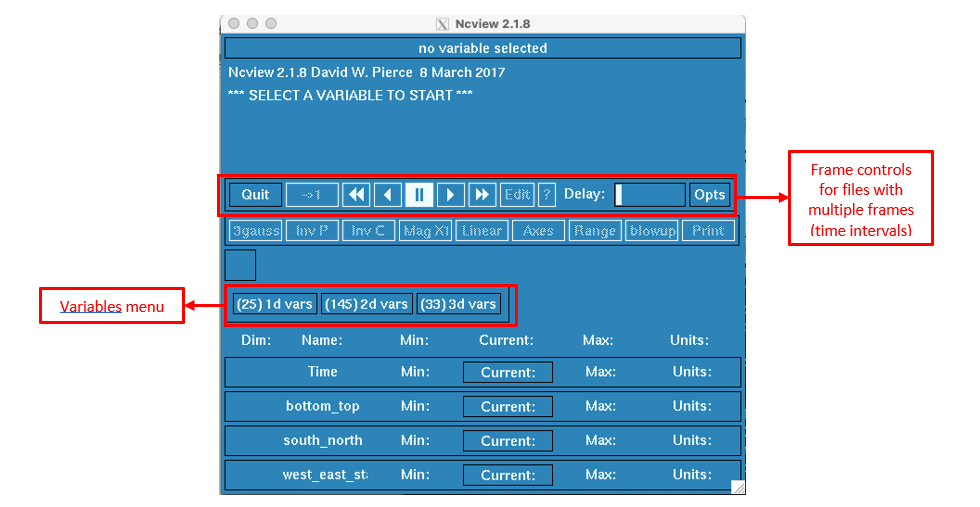
Ncview window after opening a netCDF file
After selecting the variable of interest, it will be shown in XY plane using color-filled contours.
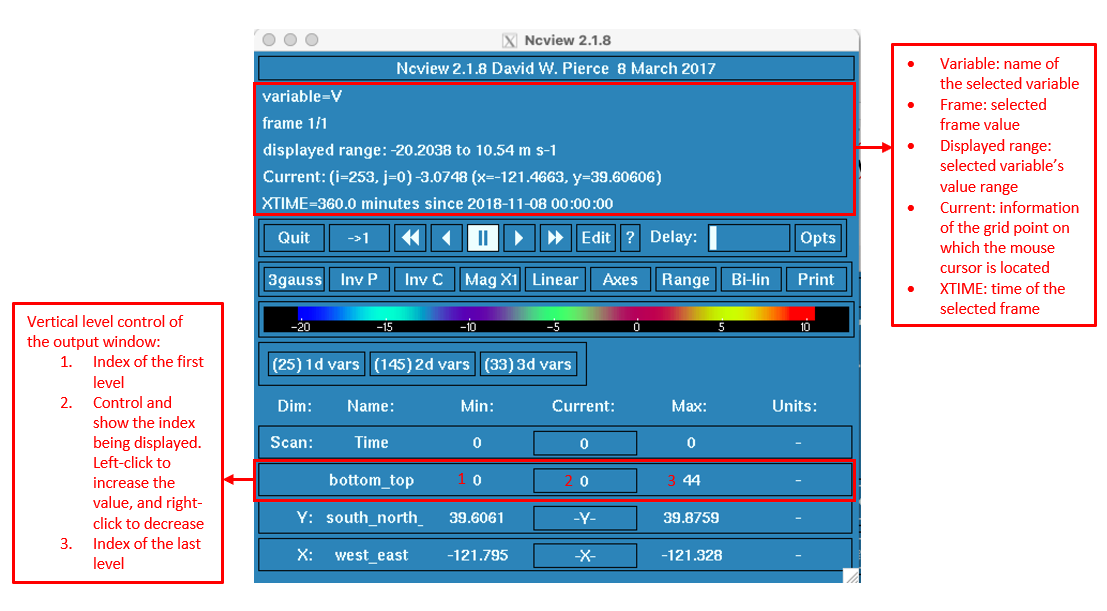
Ncview window after choosing a variable
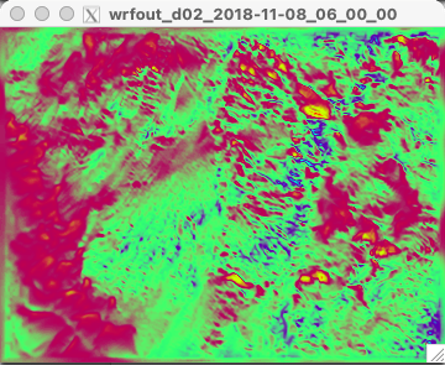
Output window of Ncview showing the value of the chosen variable in XY plane
Ncview can also plot 2D graphs of the selected variable. By left-clicking on a point of interest from the output window, Ncview generates a graph showing the value of the chosen variable with respect to a transect passing the chosen point.
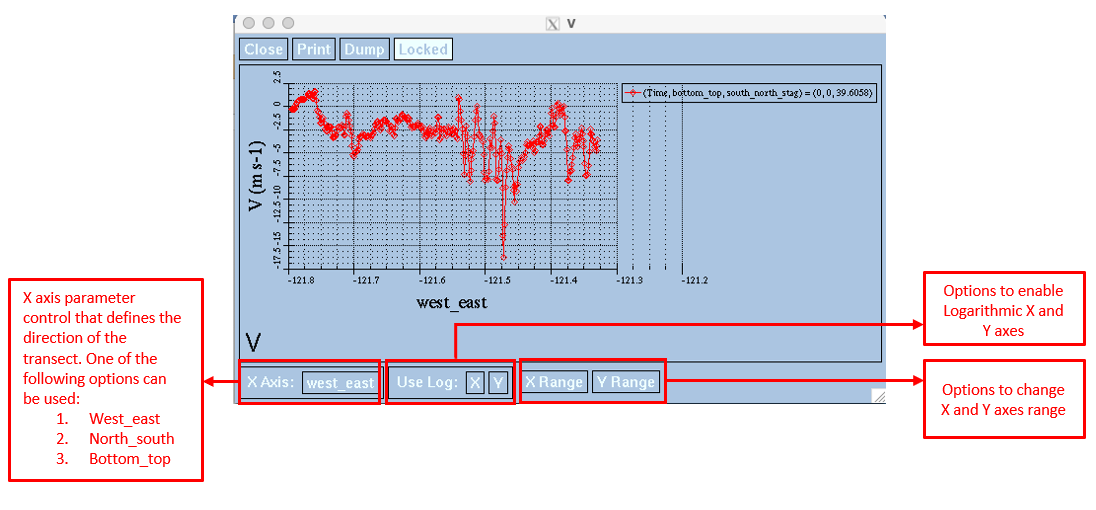
Sample of Ncview generated 2D graph